Recent calls
Access, analyze, and make use of recent call logs to improve your agent's performance.
Recent Calls provides a comprehensive history of all interactions between your agent and users, allowing you to review past conversations and analyze performance.
With it you can:
- Track all agent interactions in one place
- Review conversation transcripts
- Identify potential issues or improvement areas
- Monitor agent performance over time
- Access detailed call analytics
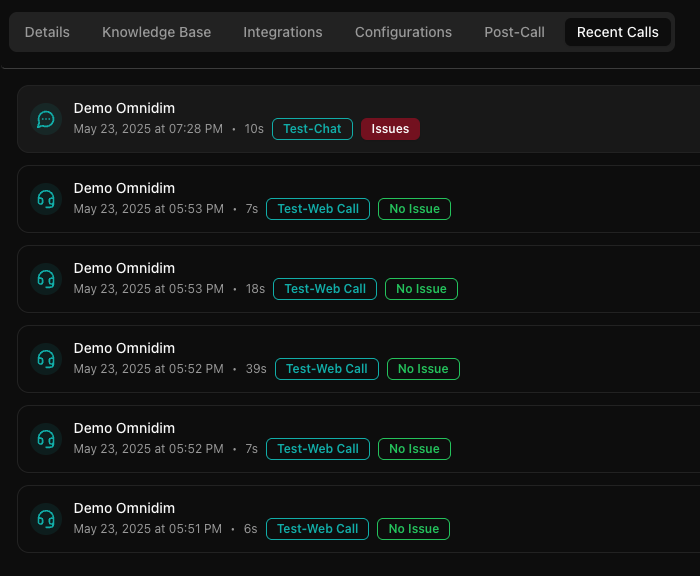
Accessing recent calls from the agent dashboard
- Go to your agent's management page
- Select the "Recent Calls" tab
- View the chronological list of all interactions for that specific agent
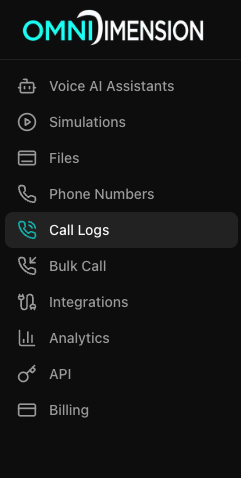
Accessing recent calls from the main dashboard
- Go to the Call Logs page in your dashboard
- View the chronological list of all interactions across all your agents
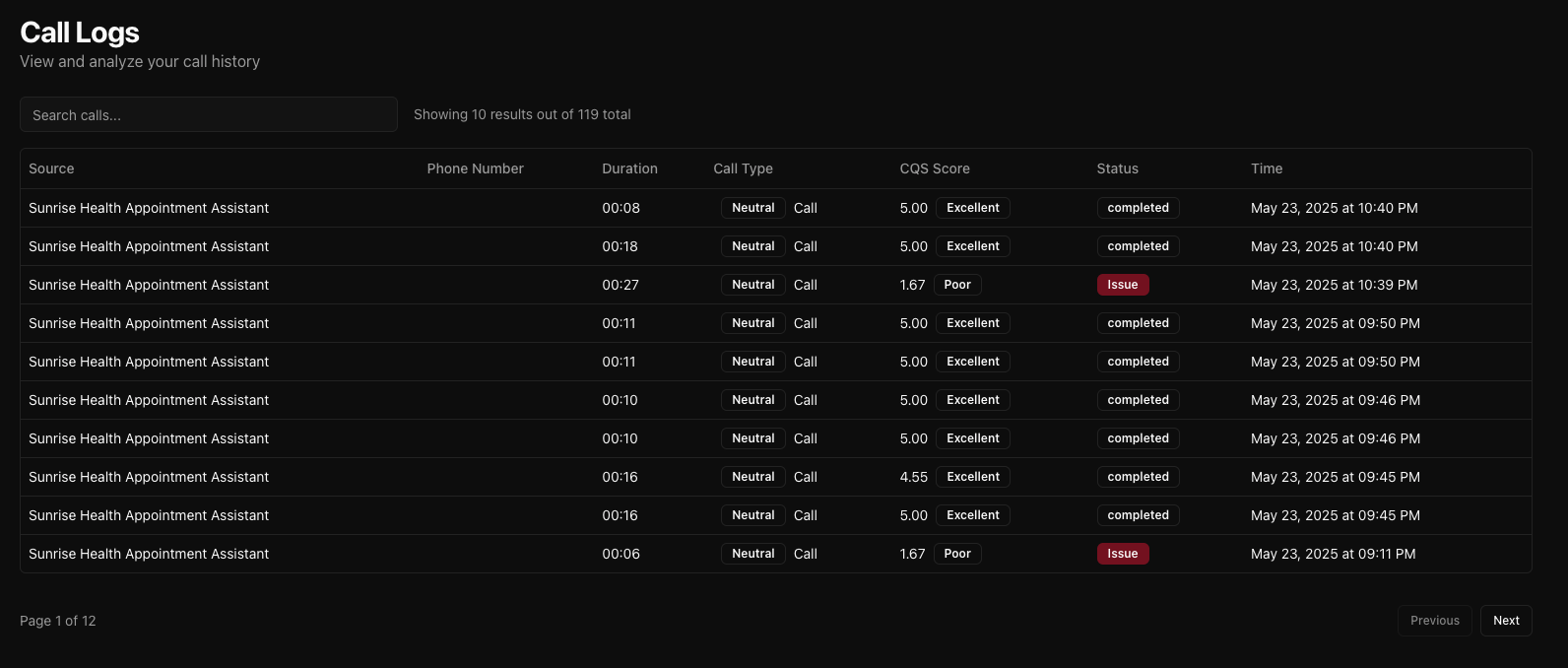
Features
- Caller phone number or identifier
- Date and time of call
- Call duration
- Call type
- Status indicators (Issues / No Issues)
- Complete conversation transcript
- Download recording
Using recent calls
- Monitor your agent's performance
- Identify common user questions or issues
- Improve your agent's responses based on real conversations
- Track usage patterns over time
Video tutorial: Review Call Analytics. Learn how to review recordings, transcripts, and performance metrics on YouTube.