

Post-call actions
Configure post-call delivery to Email, Salesforce, Slack, Webhooks, HubSpot, Google Sheets, Omni CRM, WhatsApp Cloud, and workflows.
After each call ends, OmniDimension allows you to deliver structured post-call data to external destinations:
- Salesforce
- Slack
- Webhook
- HubSpot
- Google Sheets
- Omni CRM
- WhatsApp Cloud
- Workflow
Omni CRM, WhatsApp Cloud and Workflow show in the list only when your account has access to them.
How to access post-call delivery settings
- Go to your Agent Dashboard on OmniDimension.
- Navigate to the Post-Call section.
- Under the Delivery Method dropdown, pick one of the destinations above.
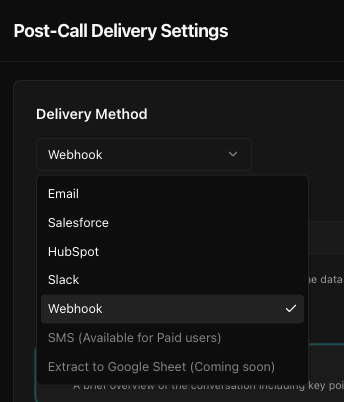
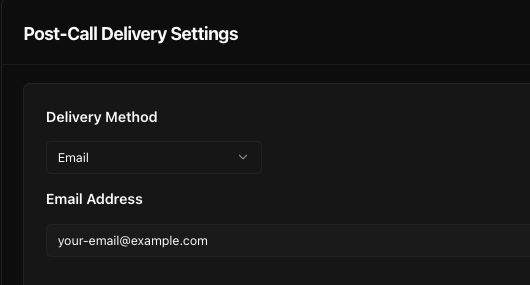
Email delivery
Use this method to receive an email with the full call report.
- Select Email from the dropdown.
- Enter the recipient email address where you'd like the report to be sent.
- Configure the include fields like summary, sentiment, variables, full conversation, etc.
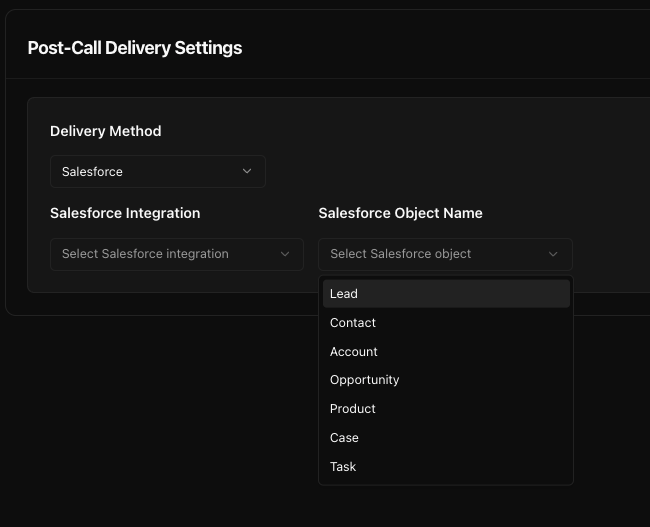
Salesforce integration
Push post-call data directly to a specific object in your Salesforce CRM.
- Select Salesforce from the dropdown.
- Choose the Salesforce integration from the dropdown. If not available you can create a new integration for Salesforce from the Integrations tab.
- Choose the target object: Lead, Contact, Account, Product, etc.
- It will automatically map the extracted variables to Salesforce fields.
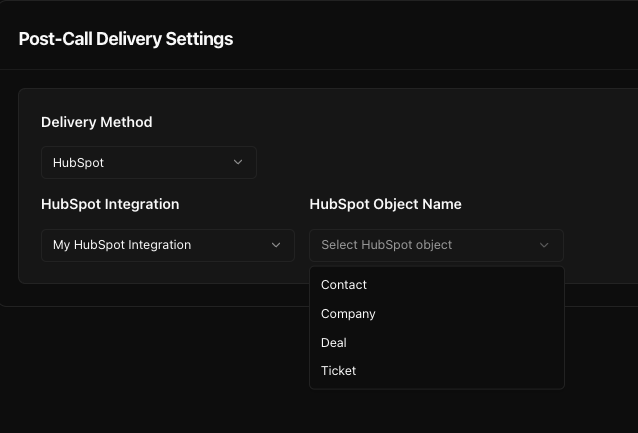
HubSpot integration
Send call summaries and variable data to HubSpot CRM records.
- Select HubSpot from the dropdown.
- Choose the HubSpot integration from the dropdown. If not available you can create a new integration for HubSpot from the Integrations tab.
- Choose the target object: Contact, Deal, Ticket, Company.
- It will automatically map the extracted variables to HubSpot fields.
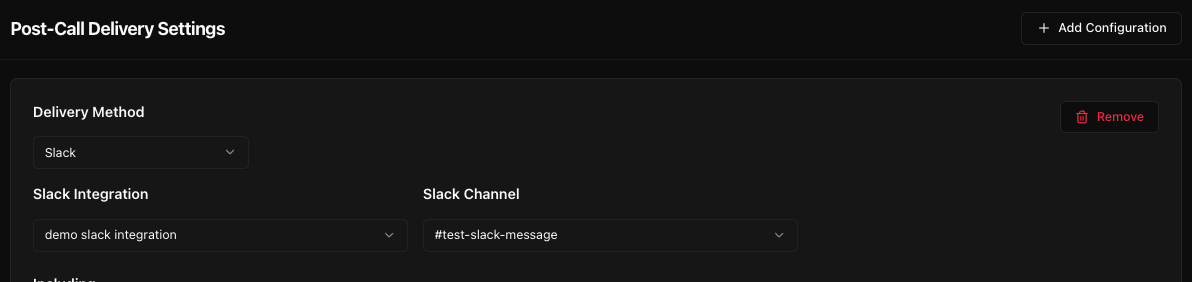
Slack integration
Post a message to a Slack channel after every call.
- Choose Slack as the delivery method.
- Choose the Slack integration from the dropdown. If not available you can create a new integration for Slack from the Integrations tab.
- Select the channel to which messages should be posted (e.g.,
#sales-leads,#support-alerts). - Choose what data to include: summary, sentiment, extracted variables, full conversation, etc.
Webhook
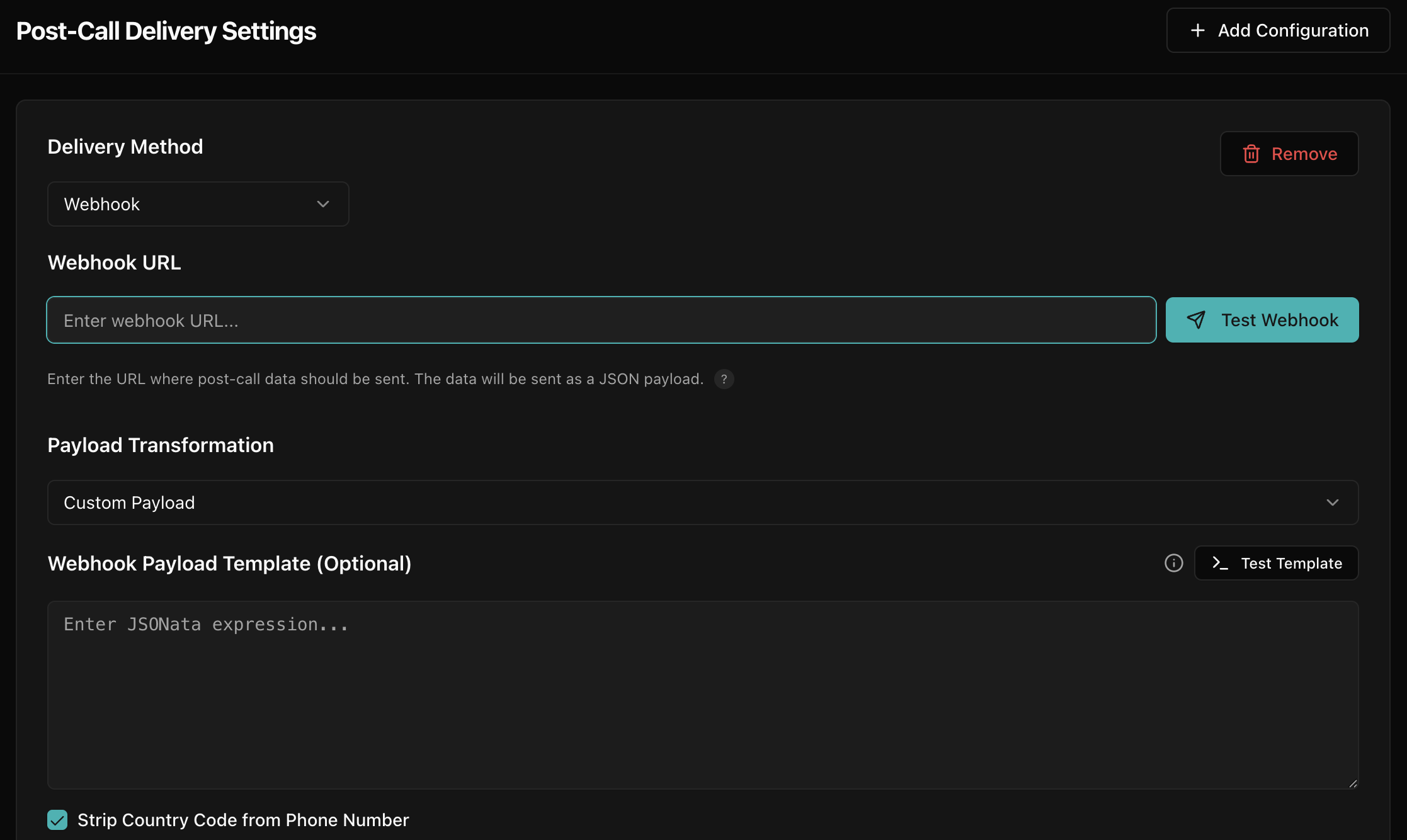
Send structured JSON data to any external system or automation tool (Make, Zapier, n8n, etc.).
- Select Webhook from the delivery method dropdown.
- Paste the webhook URL of your receiving system.
- Select Standard JSON to send our data as-is, or select Custom Payload to transform it.
- If using Custom Payload: Click Test Template, write your logic, and verify with the Real-Time Playground.
Reference: available variables
Use these variables in your custom payload:
phone_number: Customer's phone numberto_number: Agent / bot phone numberbot_name: Name of your agentcall_status: e.g.,"completed"call_report.summary: AI summary of the callcall_report.sentiment:"Positive","Neutral", or"Negative"call_report.extracted_variables.[key]: Your custom extracted data (e.g.,$.call_report.extracted_variables.email)
Example: LeadSquared schema
[
  { "Attribute": "Phone", "Value": "phone_number" },
  { "Attribute": "Name", "Value": "call_report.extracted_variables.name" },
  { "Attribute": "Email", "Value": "call_report.extracted_variables.email" },
  { "Attribute": "Notes", "Value": "call_report.summary" }
]WhatsApp Cloud post-call
Send a WhatsApp message to the user with the call summary or other details using a template.
- Select WhatsApp Cloud as the delivery method.
- Choose an available WhatsApp Cloud number from the dropdown.
- Select one of your pre-approved WhatsApp templates.
- Map the template variables to your extracted variables (e.g.,
{{1}}=$.call_report.extracted_variables.name). - Add a description for this post-call action for your reference.
Per-call post-call actions
The settings above apply to every call the agent makes. To send one specific
call's results to a different email or webhook, or extract different variables
for it, pass __post_call_actions when you dispatch the call or create a web
call session. See Per-call post-call actions.
Best practices
- Test each delivery method before going live using the built-in Test Connection feature.
- For Slack, Salesforce, and HubSpot, ensure you grant the necessary permissions during OAuth.
- Use Webhook.site or RequestBin to inspect real payloads during integration.
- Always sanitize or encrypt sensitive data when sending via webhook or email.
Was this page helpful?