

Web chat widget
Deploy your voice AI agent as a chat widget on your website with a no-code embed script.
The Web Bot Widget allows you to deploy your OmniDimension agent on any website as a floating chat interface. Customers can engage with your AI agent directly from your site.
With it you can:
- Deploy with a simple copy-paste script, no code required
- Customize design: logo, colors, position, and dimensions
- Run on all modern websites
- Preview the widget live before deployment
How to deploy the widget
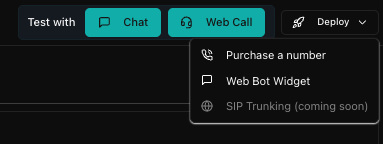
- Go to your agent dashboard
- Click the Deploy dropdown
- Select Web Bot Widget
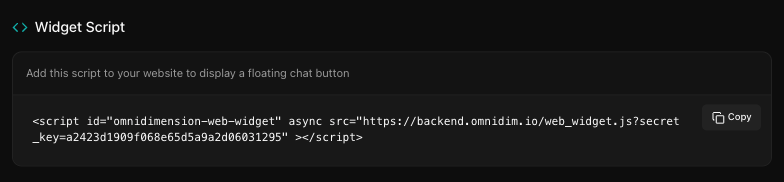
- Copy the generated embed script
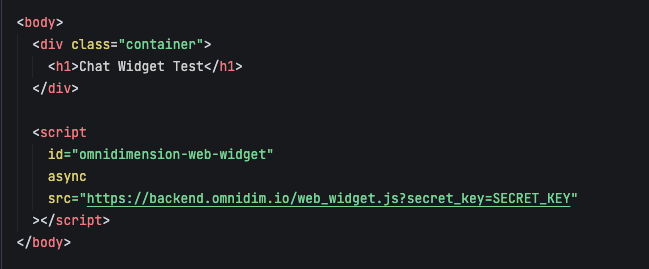
- Paste this script inside the
<body>tag of your website's HTML page - Save and deploy your website
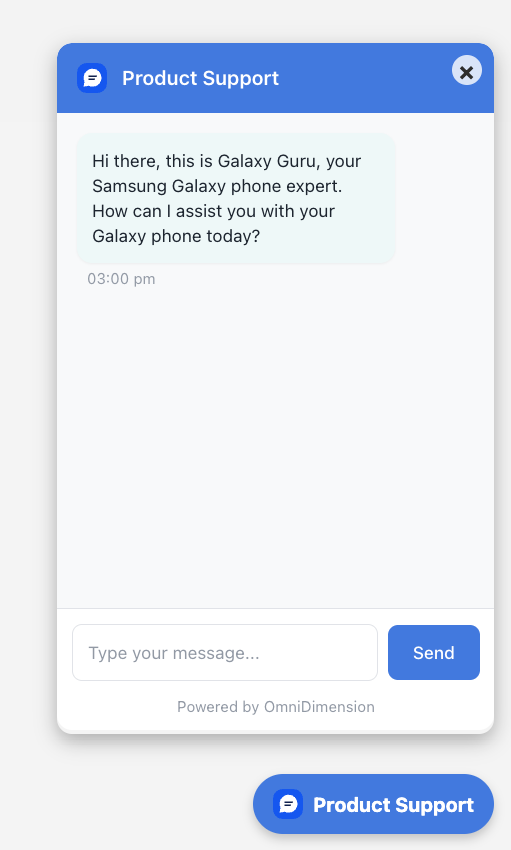
- The widget will appear on your website
- Users can interact with your agent by clicking on the widget icon
Widget configuration
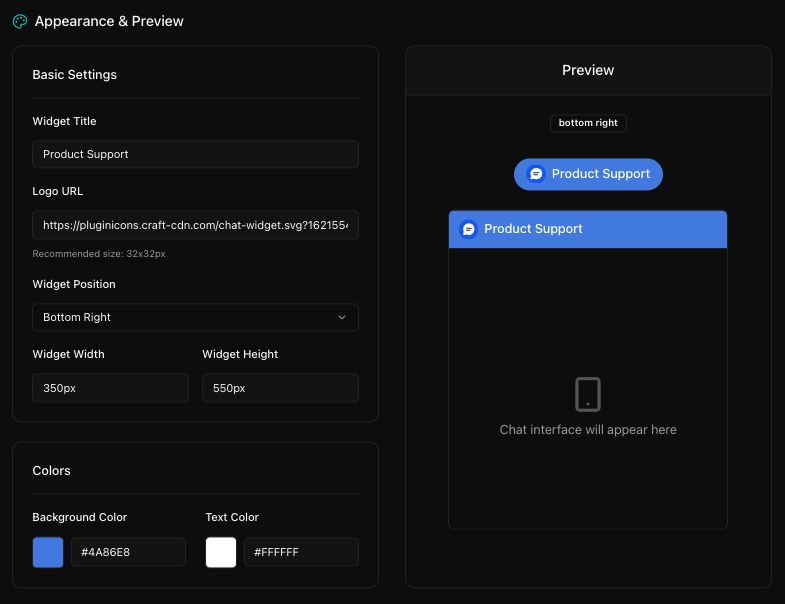
After clicking Web Bot Widget from the Deploy menu, you'll be taken to the configuration screen where you can customize the widget's appearance.
- Widget title: Label displayed on the widget (e.g., Product Support)
- Logo URL: URL to a 32x32 image or SVG icon
- Widget position: Choose between bottom right or left
- Widget width and height: Adjust the size in pixels
- Colors: Background and text color for branding
Preview and test
- View the live preview panel on the right to verify widget appearance
- Use Chat or Web Call options to simulate user interaction
- Adjust any settings until you're satisfied with the layout and branding
Deployment tips
- Place the script at the bottom of the body tag for optimal loading
- Ensure the widget key in the script matches your agent
- Use HTTPS hosting for proper widget functionality
- Test responsiveness on mobile and desktop browsers