

Call screening detection
Recognise a phone's built-in call screener, introduce your agent in one line, then wait for the person to pick up instead of pitching at the machine.
Some phones answer unknown calls with a built-in screener that asks who is calling and why, shows the person a live transcript, and lets them accept, send to voicemail, or ignore. Apple ships this as Call Screening on iOS 26; Google Pixel has Call Screen.
Without detection, your agent pitches its whole opening at the screener and logs a conversation that never reached anyone.
What the agent does
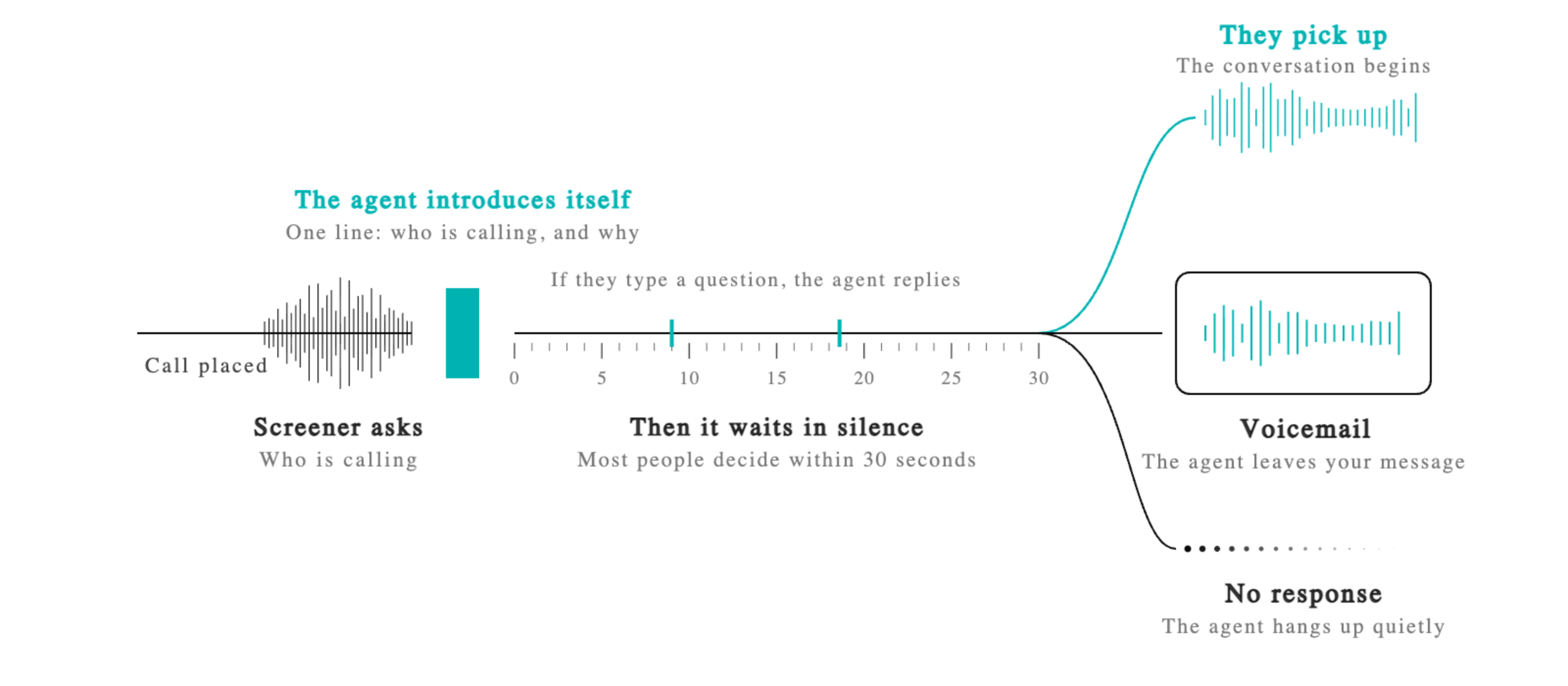
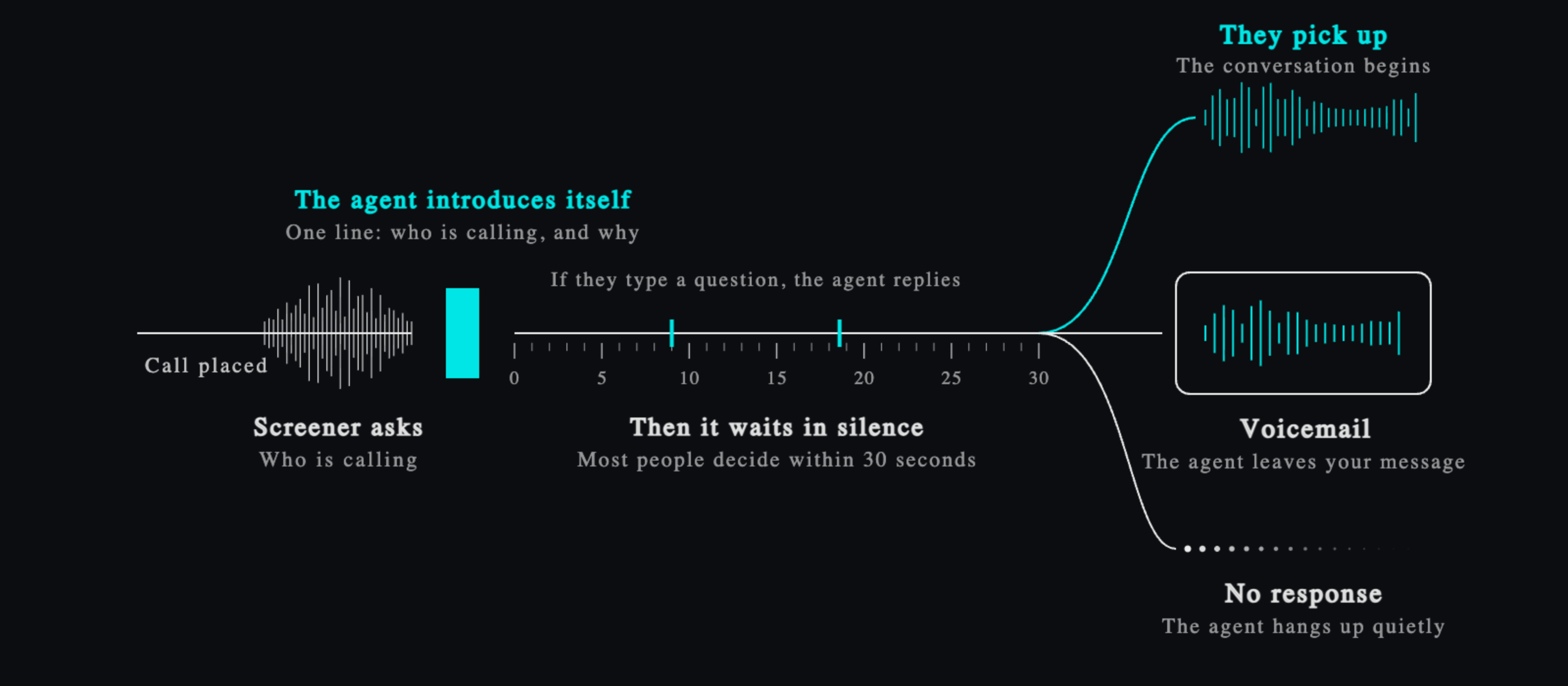
It recognises the screener, gives one introduction in its own voice and language, then waits quietly while the person reads. If they type a question through the screener, it answers briefly and keeps waiting.
| The person | What happens |
|---|---|
| Picks up | The conversation carries on as normal. |
| Sends it to voicemail | Your voicemail message is left, then the agent hangs up. No message set means a quiet hang-up. |
| Does nothing | The agent gives up after a short silence, so no minutes burn. |
Most people decide within 30 seconds.
Turning it on
In the agent's settings, open Call screening detection and turn it on. It applies per agent, from the next outbound call.
Only outbound phone calls are affected. Inbound and web calls are untouched, and turning it off restores the previous behaviour exactly.
Your agent needs English
A screener speaks the language of the phone, not of your agent, and detection works from what your agent transcribes. An agent that transcribes only one non-English language cannot recognise a screener at all.
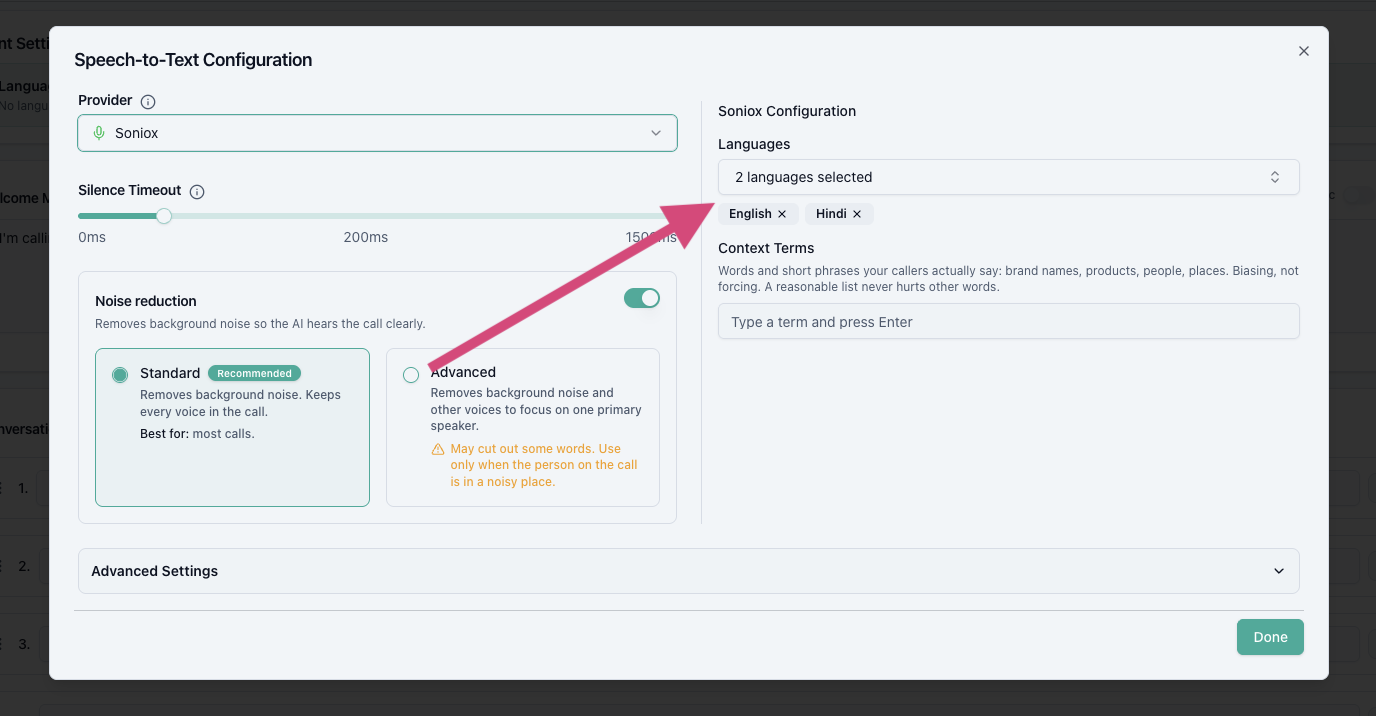
So turning this on adds English to the agent's languages if it is missing. Your other languages are untouched and still answered in.
If it could not be added for you
Some transcription providers handle several languages at once, others only one. If yours takes one at a time, English cannot be added alongside your existing language and you will see a note saying so.
Open the agent, then Speech to text, and either set the language to English or choose a provider that handles more than one:
Where screening happens
The screener speaks the language the phone is set to. Apple's Call Screening is available in:
| Language | Regions |
|---|---|
| English | Australia, Canada, India, Ireland, New Zealand, Puerto Rico, Singapore, South Africa, United Kingdom, United States |
| Spanish | Mexico, Puerto Rico, Spain, United States |
| Cantonese | China mainland, Hong Kong, Macao |
| Mandarin Chinese | China mainland, Macao, Taiwan |
| French | Canada, France |
| German | Germany |
| Japanese | Japan |
| Korean | South Korea |
| Portuguese | Brazil |
English (India) is supported, so an Indian iPhone screens in English even when the person speaks Hindi to your agent. Hindi is not on the list, so a Hindi-set phone does not screen at all.
Keep the welcome message short
The welcome message is the first thing a screener hears, and it gets transcribed onto the person's screen word by word:
Hi, this is Maya from Rivertown Dental, calling about your appointment.
One line that says who is calling and why earns the pick-up. A long script reads like spam. This matters most on agents that do not allow the welcome message to be interrupted, since the screener hears all of it.
Set a voicemail message too, so a screened call nobody picks up still leaves your pitch.
Afterwards
Call logs mark these calls with Screening as the hangup source, so they do not blend into your answered conversations or your real voicemail numbers. Transcripts include the screener's prompts and your agent's introduction, so you can see exactly what the person read.
Good to know
- Screening is the person's choice. Detection does not bypass it, it makes your one chance at their screen count.
- Phones only screen numbers not in the person's contacts, and low power mode or roaming turns screening off on the phone side.
Was this page helpful?