

SIP Trunking
Connect your existing phone numbers to OmniDimension using SIP trunking.
SIP (Session Initiation Protocol) trunking lets you use phone numbers you already own with your OmniDimension AI agents. You point your carrier at us, import the number, and it starts taking calls. This page walks through the import, the carriers we support, and how to authenticate by IP.
Getting started
Importing a SIP number takes a few clicks. Before you start, make sure you have:
- A SIP-enabled phone number from your carrier
- Your SIP credentials (username and password), or a carrier that authenticates by IP
- Access to your carrier's configuration panel
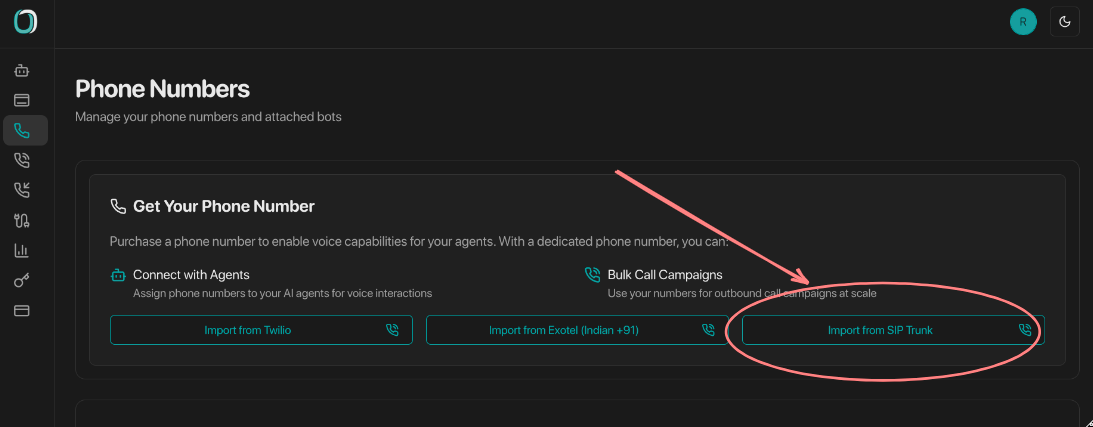
Enter your provider details
Pick your provider from the dropdown and enter your credentials. For a carrier that isn't listed, choose Other / Unknown and enter your SIP host and credentials by hand.
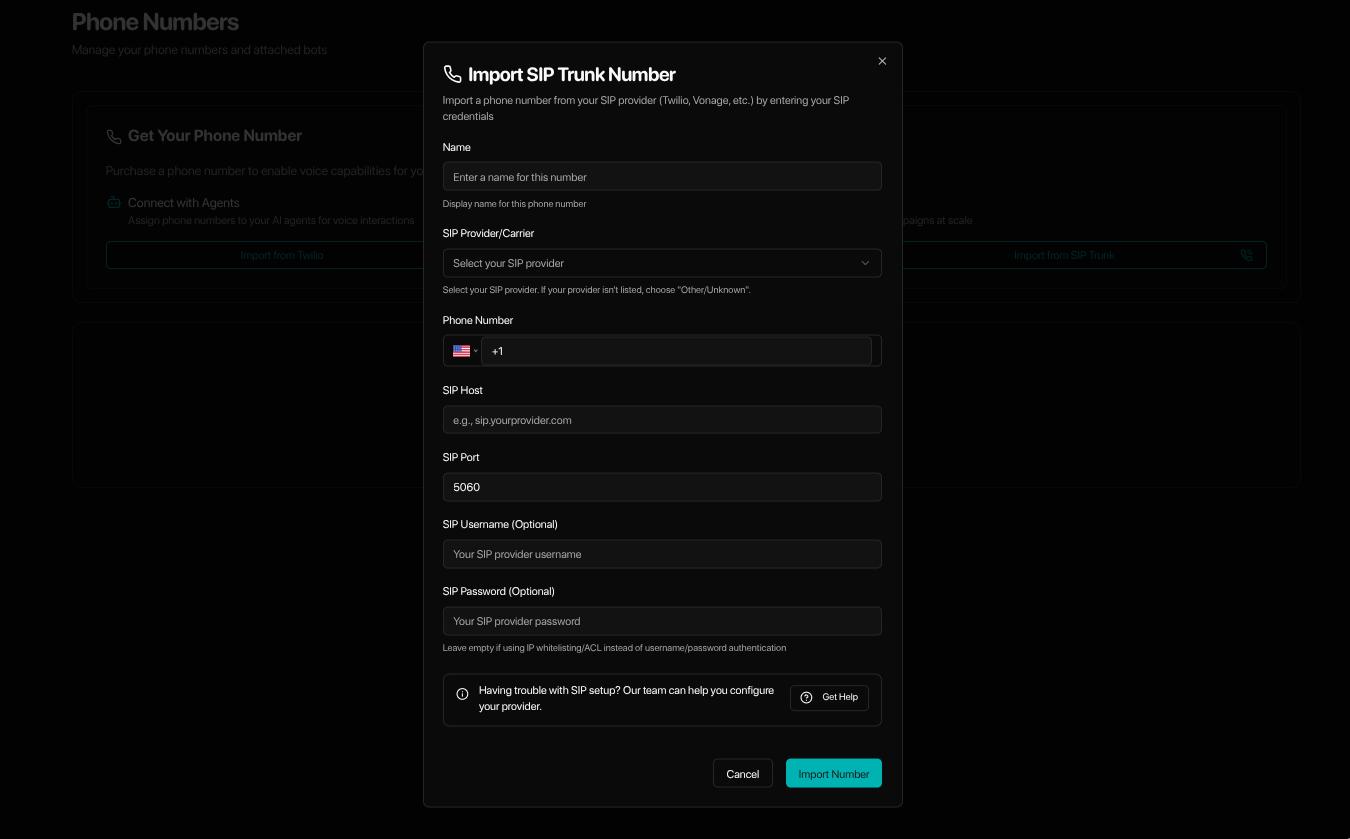
Import and go live
Submit the form. For the guided providers, the connection is configured for you and the number is ready to take calls right away.
Supported providers
You can bring a number from any SIP carrier. These four have guided imports with a step-by-step page for each:
Twilio
Elastic SIP Trunking with credential lists or IP ACL authentication.
RingCentral
SIP configuration with optional outbound proxy setup.
Vonage
SIP trunking with UserKey / Secret authentication and regional hosts.
Voicelink
Shared-trunk setup with host, port, and dial prefix filled in. Just enter your DID, no credentials needed.
Using a different carrier? Import it yourself.
You don't need us to add your carrier first. Choose Other / Unknown in the import dialog and enter your SIP host and credentials (or use IP-based authentication if your carrier authenticates by IP). Most carriers connect on the first try.
Still stuck after importing? Reach out and we'll help:
- Email: support@omnidim.io
- Discord: join the OmniDimension community
IP-based authentication
Some carriers authenticate by IP address instead of a username and password. If yours does, allow OmniDimension's SIP endpoint so your trunk accepts our calls without credentials.
-
Whitelist this host:
sip.omnidim.io -
If your carrier's access list only accepts a literal IP (Twilio's IP ACL, for example), resolve the host and enter the address it returns:
dig +short sip.omnidim.io
Troubleshooting
The import didn't go through
- Double-check your SIP credentials and confirm your carrier allows outbound calls
- Check your account balance and that your plan includes SIP trunking
The number imported but calls don't connect
- Verify your SIP trunk settings and that your plan covers outbound calls to your target regions
- Review the call logs in your carrier's dashboard, and confirm SIP trunking is enabled on their side