

HubSpot
Integrate HubSpot with your voice AI agent to automatically manage contacts, deals, and more.
The HubSpot integration enables your voice AI agent to sync post-call data into your CRM. You can automatically create and update contacts, deals, and tickets based on extracted variables from the conversation.
Key benefits
- One-click OAuth integration
- Automatic syncing of leads and deals post-call
- Streamlined contact and CRM record creation
Setup option 1: from the main dashboard
Open the integrations page
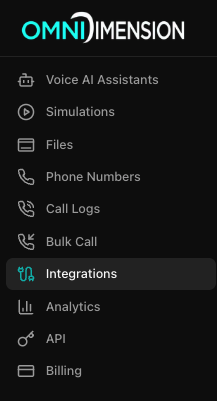
Go to the Integrations page in your dashboard and select the All Integrations tab.
Connect HubSpot
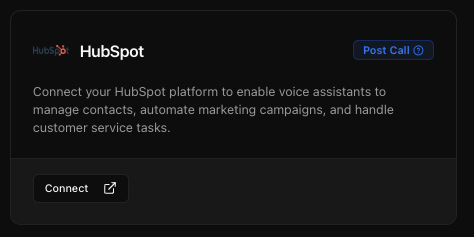
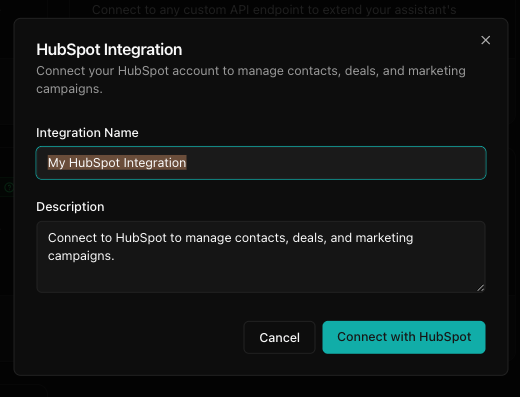
Find the HubSpot card and click Connect. Enter your integration name and description, then click Connect with HubSpot.
Attach to your agent
Go to your agent's edit page, open the Integrations tab, and attach the HubSpot integration from the dropdown.
Setup option 2: from agent configuration
Open the agent's integrations tab
Navigate to your agent's edit page and select the Integrations tab.
Connect a new HubSpot integration
Click Connect New Integration and choose HubSpot. Enter a meaningful integration name and purpose, then click Connect with HubSpot and complete OAuth login. The integration will automatically attach to the agent.
Using with your agent
- Your agent will automatically push call summary and extracted data to HubSpot
- Based on the call flow, it can create new contacts or update existing ones
- You can map variables like name, email, phone, intent, and deal size
Tips for effective integration
- Use clear and consistent naming for integrations
- Ensure your HubSpot user has access to create and update contacts and deals
- Map only relevant variables to avoid clutter
- Test with a sample call to verify record creation in HubSpot