

Templates and patterns
Proven workflow setups for hot lead alerts, fast lead calling, retries, callbacks, business hours, and email follow-ups.
Templates come with Notes (yellow boxes) that explain each part. Use them as blueprints, then swap in your own agents, campaigns, and integrations.
Hot lead alert after a call
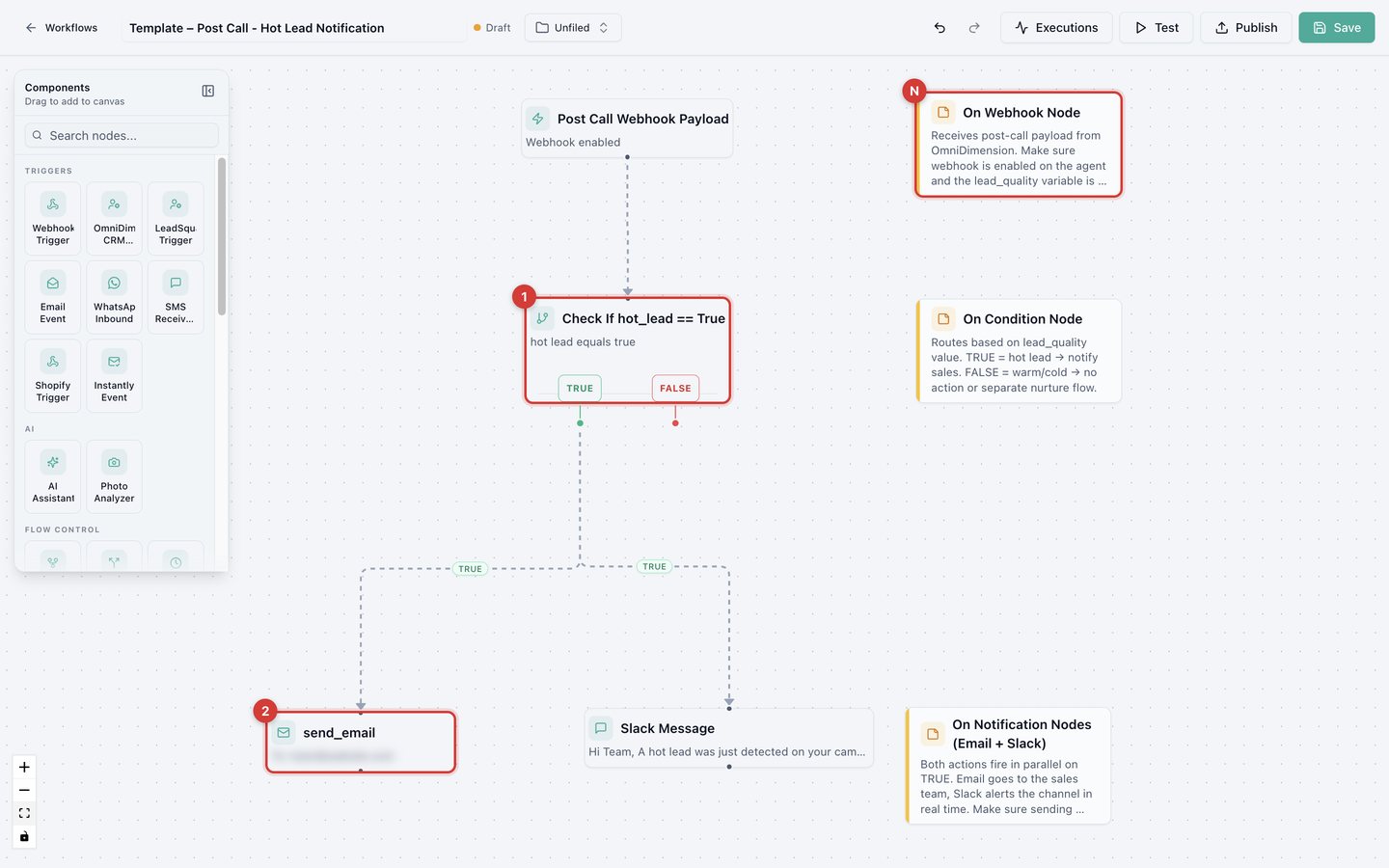
After each call, check whether it found a hot lead (1), then email (2) and Slack (3) the team at the same time.
Call fresh leads within two minutes
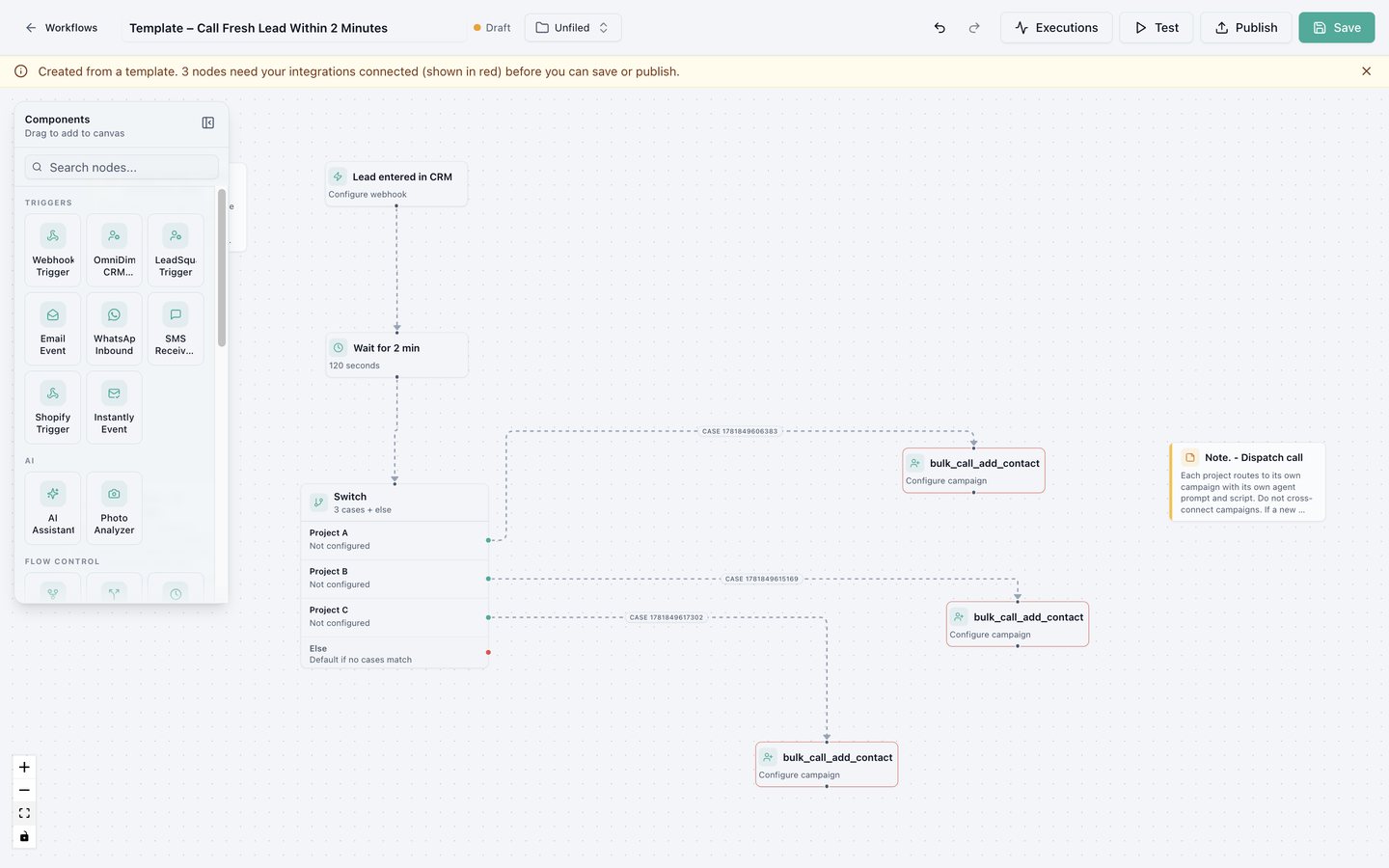
Wait 120 seconds, then a Switch sends each project's leads to that project's Bulk Call campaign. Each case needs the exact project name your CRM sends. Unmatched leads go to Else.
Retry missed calls
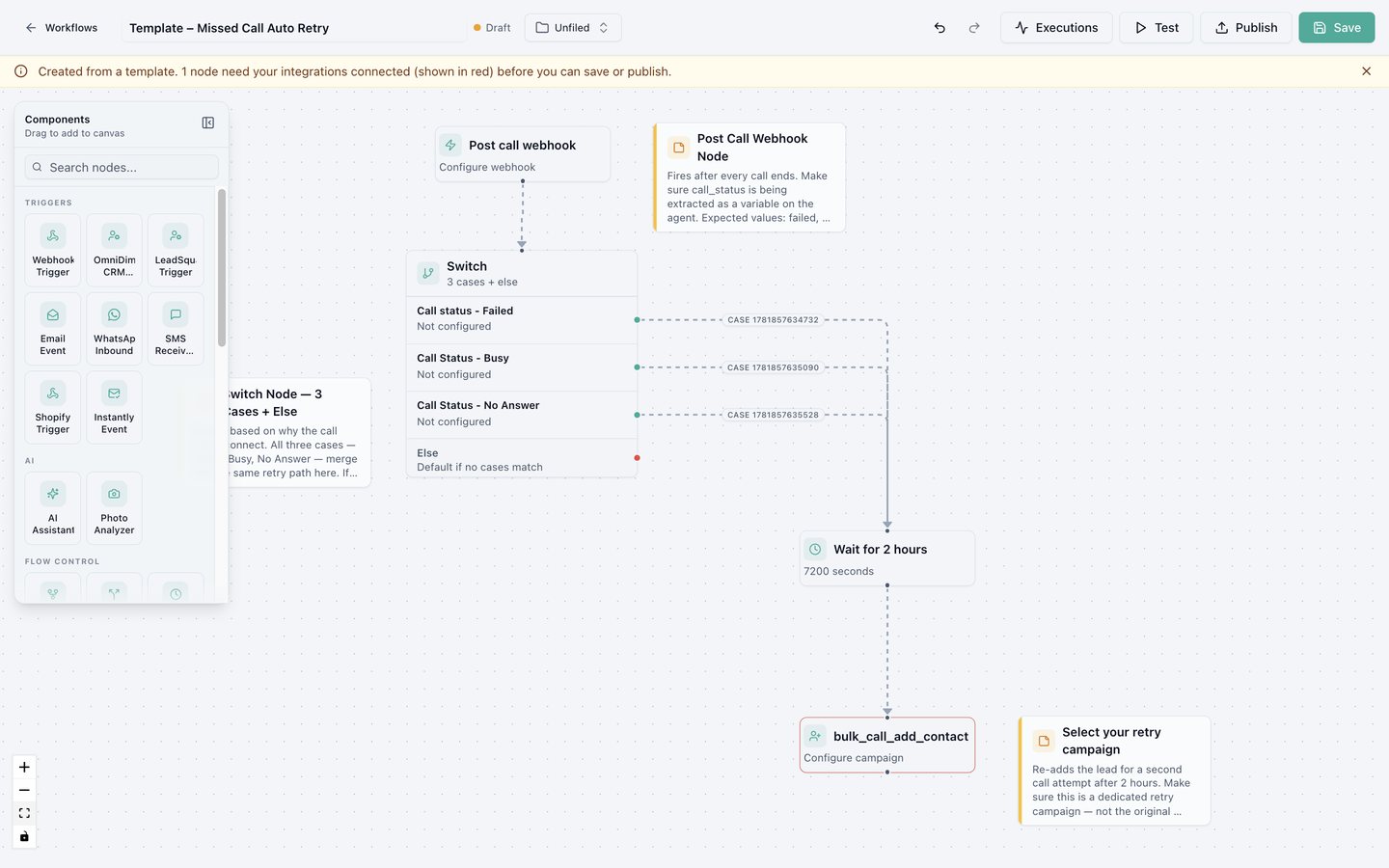
After a call ends, wait two hours. If the call failed, was busy, or wasn't answered, add the lead to a retry campaign. Use a dedicated retry campaign, not the original one, so leads aren't added twice. For different timings per outcome (busy sooner, no answer later), use a separate Delay for each.
More patterns
AI scoring and routing
Let an AI Assistant node score or classify leads, route each group with a Switch, and test a single node.
Example: from new lead to follow-up
An end-to-end journey with two workflows and a Dynamic Bulk Call campaign. Queue every new lead, let the campaign call them, then act on how each call went.