

Execution logs
Find any workflow run, filter by result or type, and inspect what every node received and produced.
Open Execution Logs from the Workflow page, or Executions inside the builder for one workflow only.
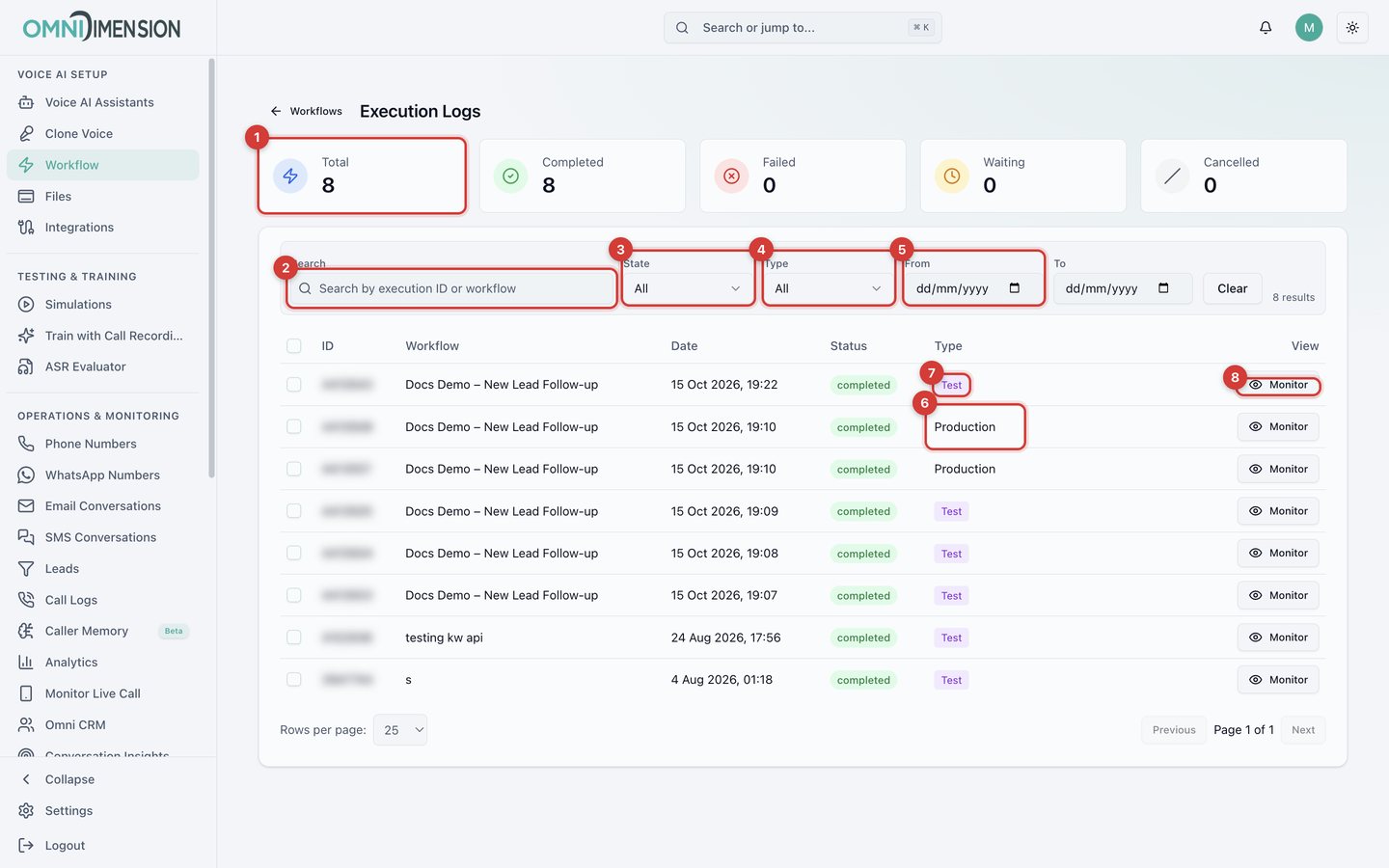
- Totals for completed, failed, waiting, and canceled runs. Waiting runs are paused on a Delay or Wait for Time node.
- Search by run ID or workflow name.
- State filter: Completed, Failed, Running, Waiting, Cancelled.
- Type filter: Production (real events) or Test.
- Date range.
- and 7. Production and Test labels.
- Monitor opens the run's live view. See Read a run.
What a call node records
When a run reaches a Voice AI Call, the node records the call's result. Later nodes can use any of it.
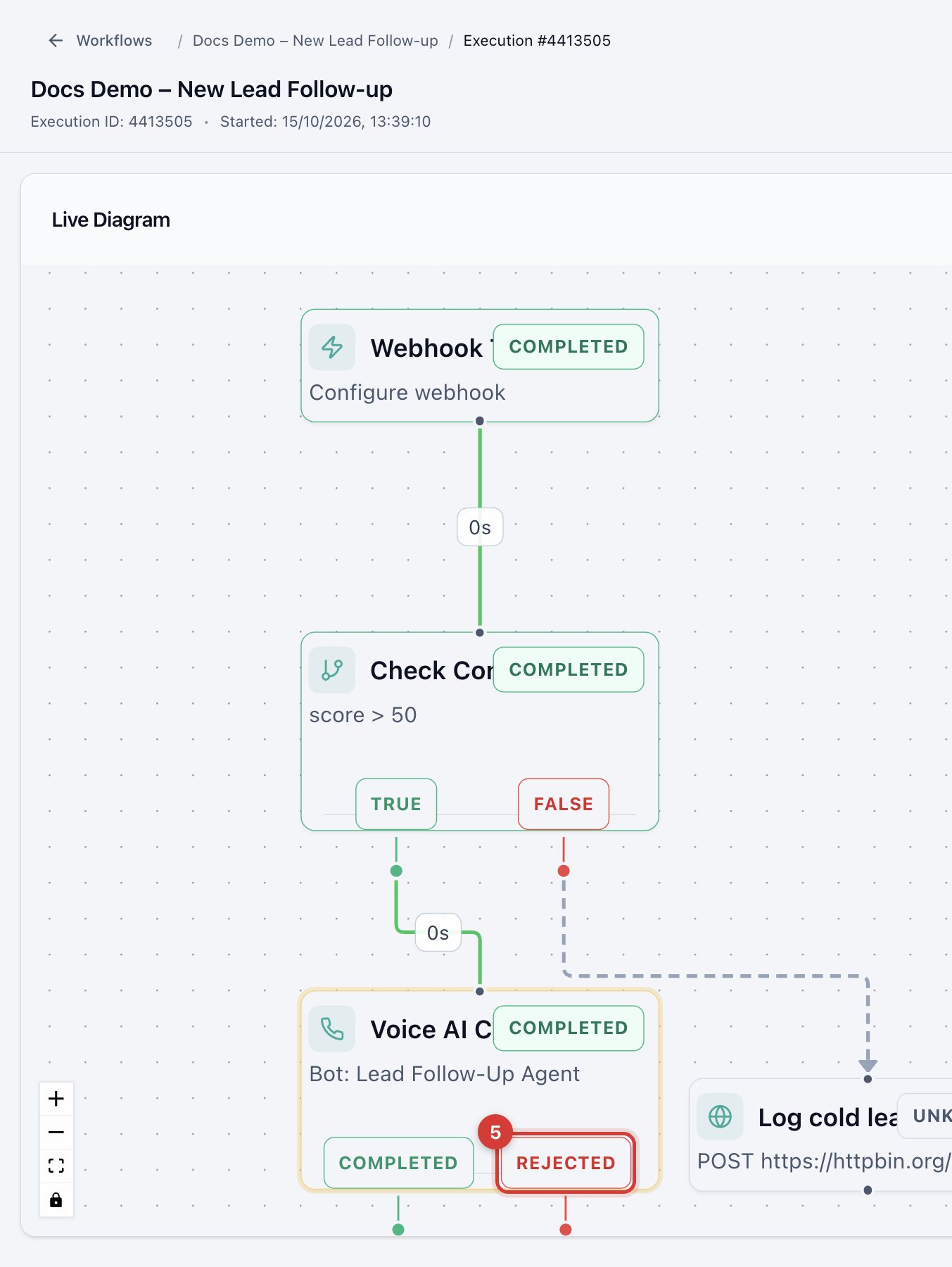
This test called an invalid number, so the call failed and the run left through REJECTED (5).
| Result | What it holds |
|---|---|
| Call status | Completed, failed, busy, or no answer. |
| Branch taken | Completed or Not Completed. |
| Call summary | A short AI summary of the conversation. |
| Conversation | The full transcript. |
| Extracted variables | Answers your agent captured, such as appointment time, interest level, or a callback request. |
| Duration and times | Call length, start time, and end time. |
| Recording | The call recording. |