

AI scoring and routing
Let an AI Assistant node score or classify leads, route each group with a Switch, and test a single node.
The AI Assistant node reads information and answers. Pair it with a Switch to send each lead down the right path.
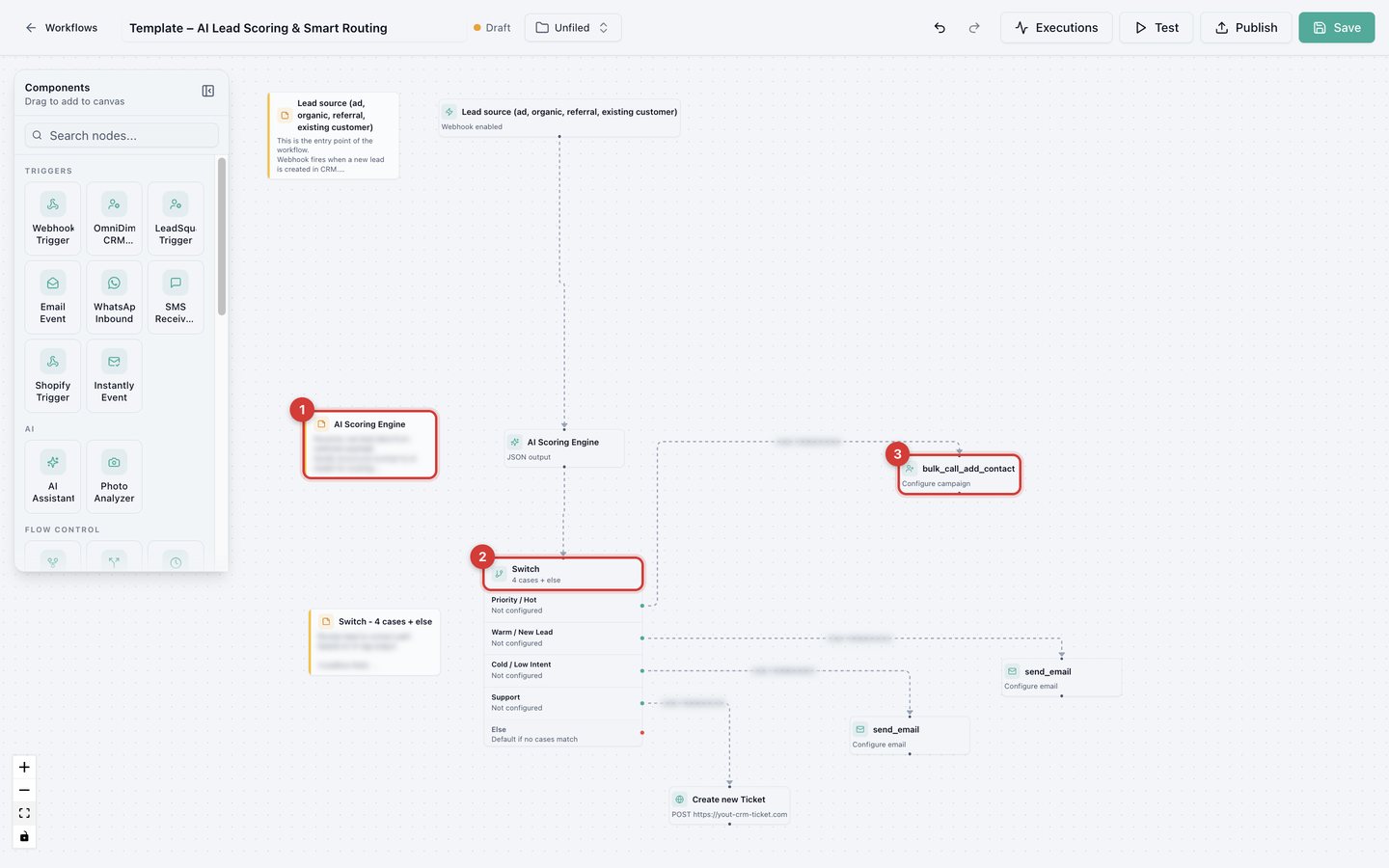
The AI Lead Scoring and Smart Routing template: a lead arrives, the AI Scoring Engine (1) scores it, the Switch (2) routes it, and each group goes to its own campaign, email, or ticket (3). Yellow boxes are Notes left by the template author.
Set up the AI node
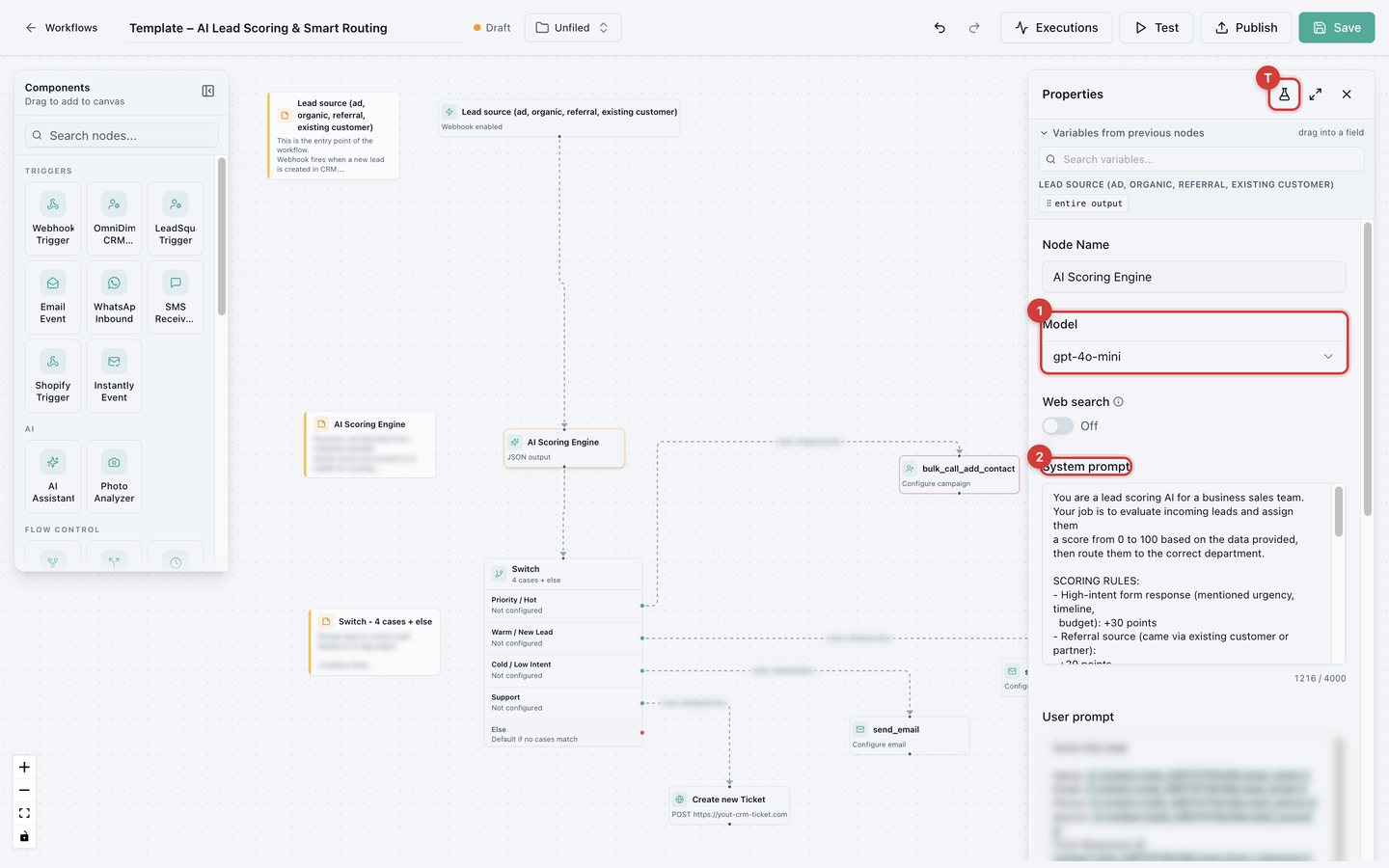
| Setting | What it does |
|---|---|
| Model | Which AI model answers. |
| Web search | Lets the AI look things up online. |
| System prompt | Who the AI is and the rules it follows, for example a scoring rubric: +30 for urgency, +20 for referrals, -20 for incomplete profiles. Up to 4,000 characters. |
| User prompt | The task, with lead details inserted using @. Up to 4,000 characters. |
| Temperature | Lower gives more consistent answers, higher more creative ones. Keep it low for scoring and routing. |
| Max tokens | Maximum answer length. |
| Output | Text, or JSON with named Response fields such as score, tag, and reason. Each field becomes its own variable that later nodes can check. |
Route with a Switch
A Switch checks its cases from top to bottom. The first case that matches wins. Anything that matches no case goes to Else.
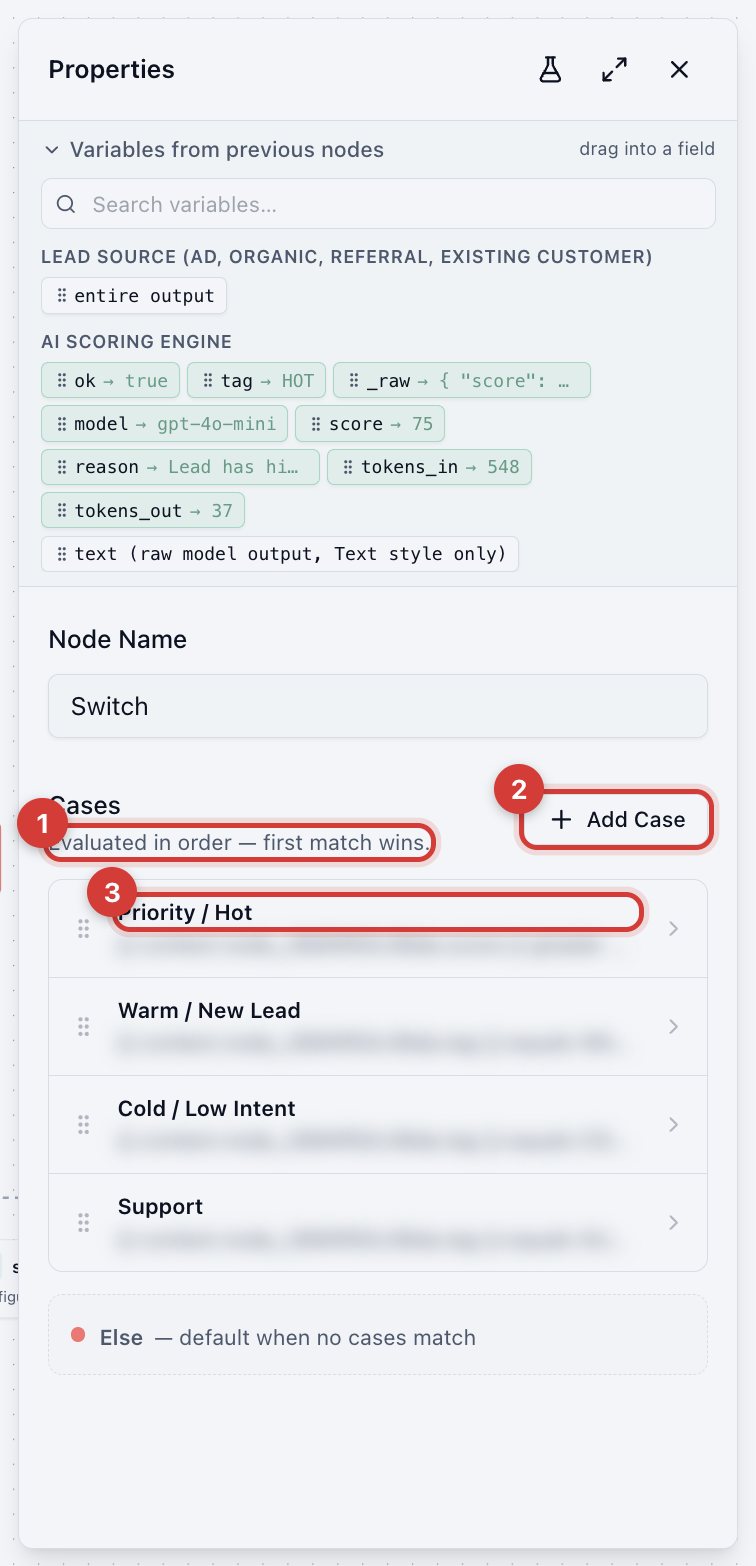
- Cases run in order.
- Add Case.
- Each case is one rule, here "score is 70 or more, go to Priority / Hot".
Test a single node
The flask icon in a node's settings opens Test node. It runs only that node with its current on-screen settings (no save needed), using sample values you type in place of earlier nodes.
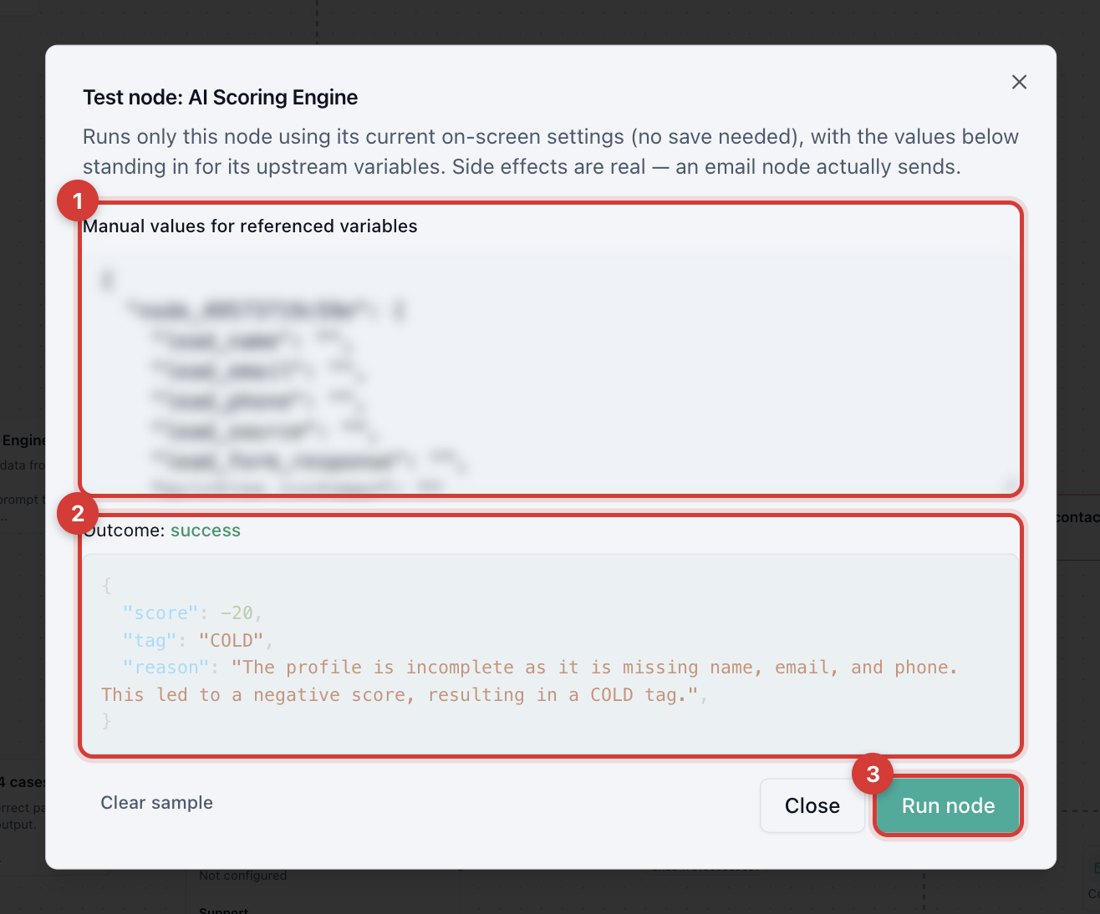
- Fill in sample values.
- Read the Outcome.
- Run node.
With the sample left empty, the AI scored this lead COLD (-20) for an incomplete profile. With a referral lead who wrote "need a solution this month, budget approved", it scored HOT (75).
This is the fastest way to tune prompts, API requests, and messages. Like a full test it is real: an email node really sends.