

Create a workflow
Start a new workflow from a blank canvas or one of the ready-made templates.
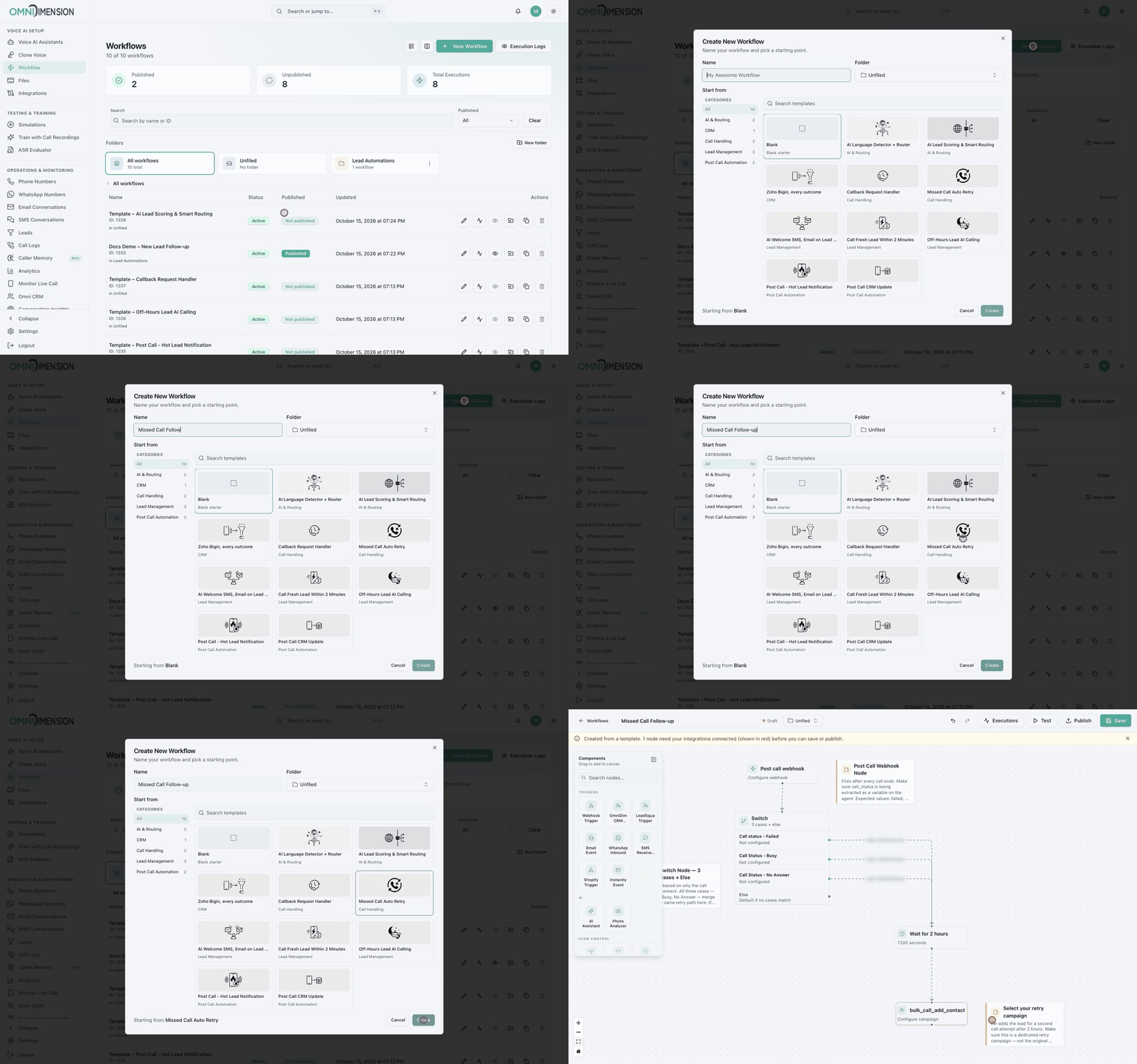
Open the create dialog
On the Workflow page, click New Workflow.
Name it
Give it a clear Name, such as "New Lead Follow-up". Optionally pick a Folder. "Unfiled" means no folder. You can rename it later in the builder.
Pick a starting point
Under Start from, choose Blank or a template. Use the categories on the left or the search box to narrow the list. Blank starts with a simple three-node example: a Webhook Trigger, a Check Condition, and a Voice AI Call.
Create
Click Create. The builder opens.
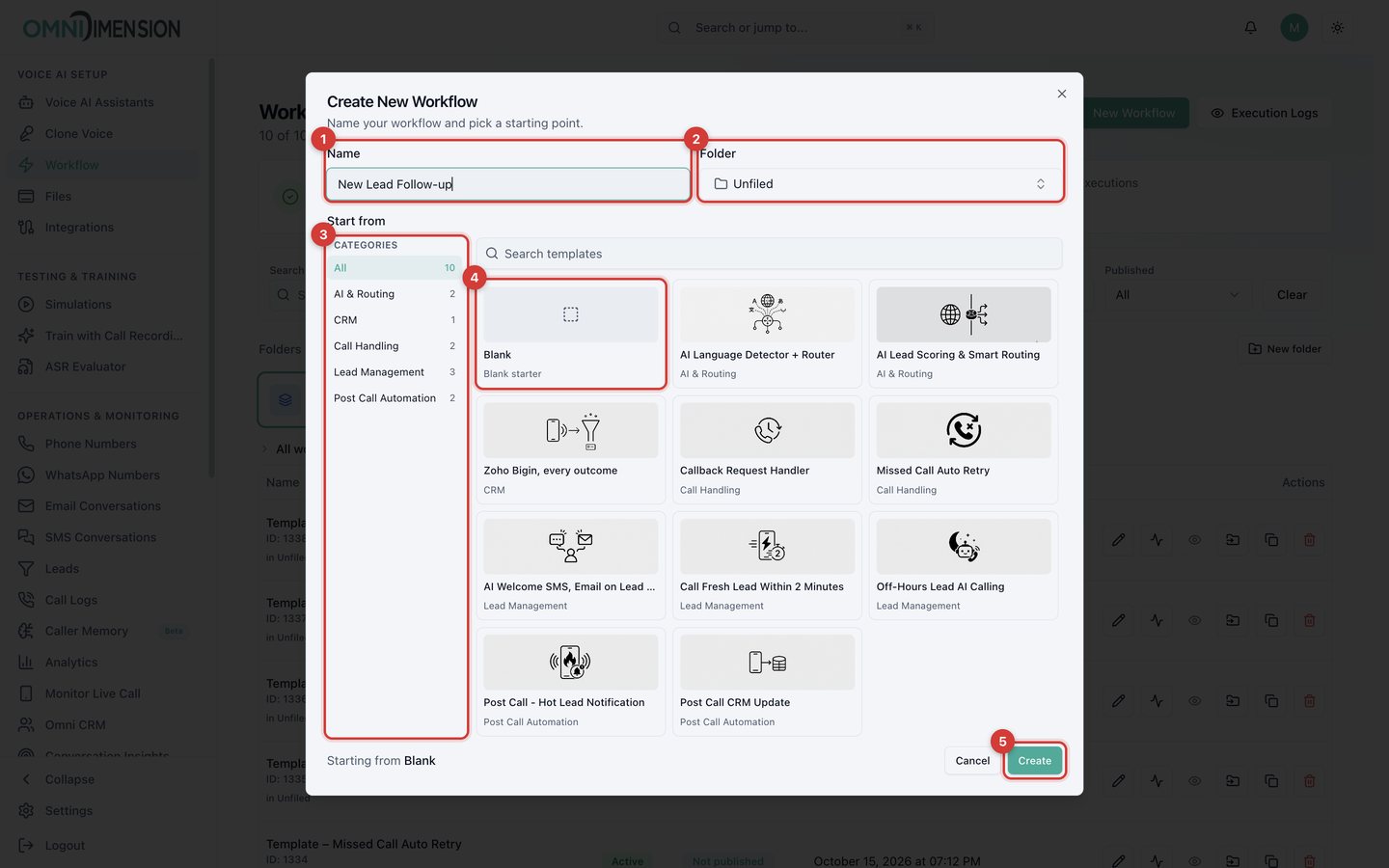
- Name.
- Folder.
- Categories: AI and Routing, CRM, Call Handling, Lead Management, Post Call Automation.
- Blank starter.
- Create.
Templates
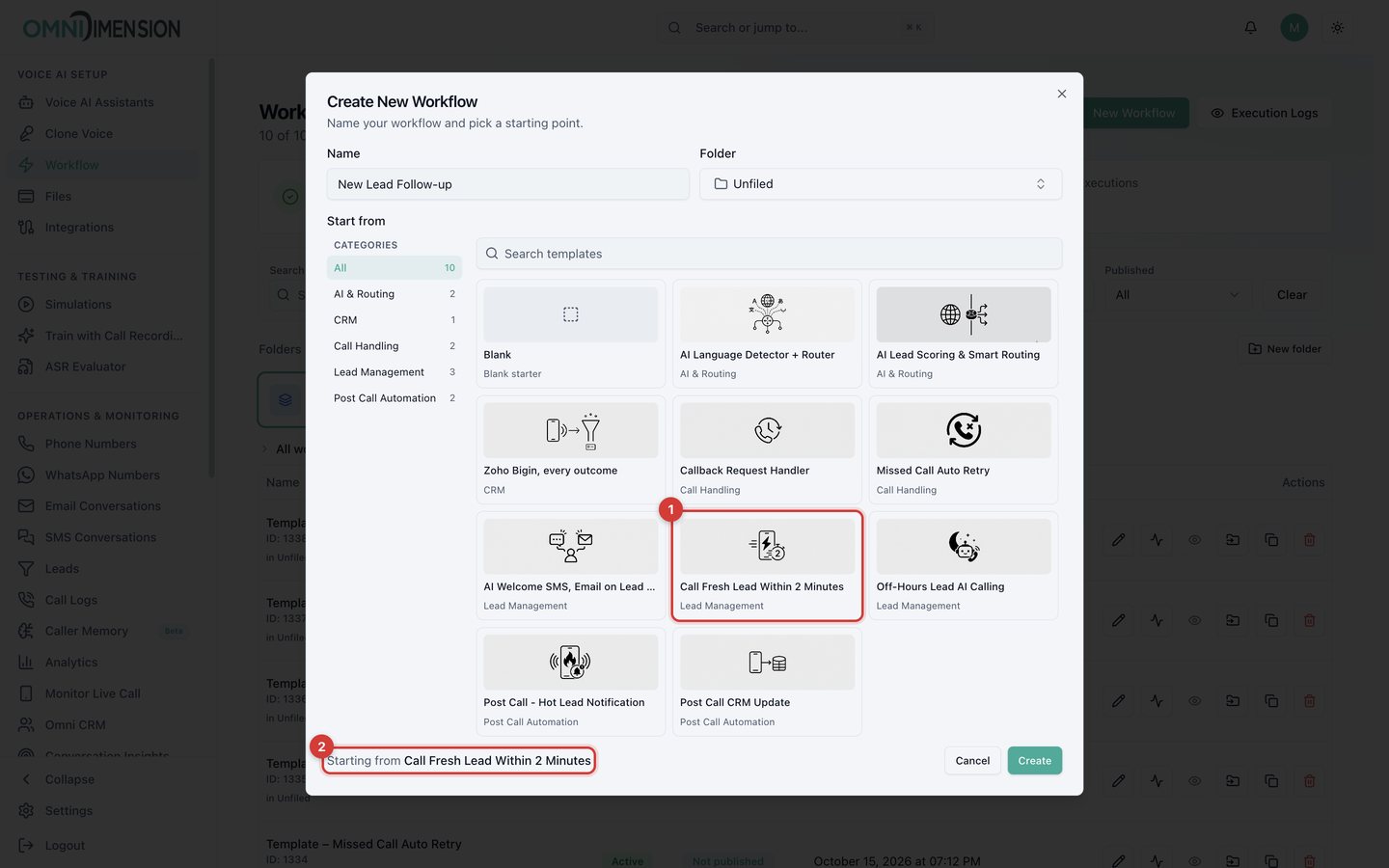
Click a template card (1). The footer confirms what you are starting from (2).
| Template | Category | What it does |
|---|---|---|
| AI Language Detector + Router | AI and Routing | Detects the caller's language and routes to the matching agent. |
| AI Lead Scoring and Smart Routing | AI and Routing | AI scores each new lead HOT, WARM, COLD, or SUPPORT and sends each to its own path. |
| Zoho Bigin, every outcome | CRM | Writes call outcomes into Zoho Bigin and handles found, created, and failed cases. |
| Callback Request Handler | Call Handling | When a caller asks for a callback, confirms by SMS and calls back at the requested time. |
| Missed Call Auto Retry | Call Handling | Waits two hours, then retries calls that failed, were busy, or got no answer. |
| AI Welcome SMS, Email on Lead Entry | Lead Management | Greets new leads by SMS and email. |
| Call Fresh Lead Within 2 Minutes | Lead Management | Waits two minutes, then adds the lead to the right project's call campaign. |
| Off-Hours Lead AI Calling | Lead Management | Holds leads that arrive overnight and queues them for the morning. |
| Post Call - Hot Lead Notification | Post Call Automation | After a call, if it found a hot lead, emails and Slacks the sales team. |
| Post Call CRM Update | Post Call Automation | Updates your CRM with each call's results. |