

Insights
See conversations, reply rate, read rate, delivery, and failed messages for each WhatsApp number, and what the failure reasons mean.
Each number has an insights page showing how its messages are doing.
Open insights
Click the activity line on a number card, or Insights in the chat inbox. Switch between 7d, 30d and 90d at the top right.
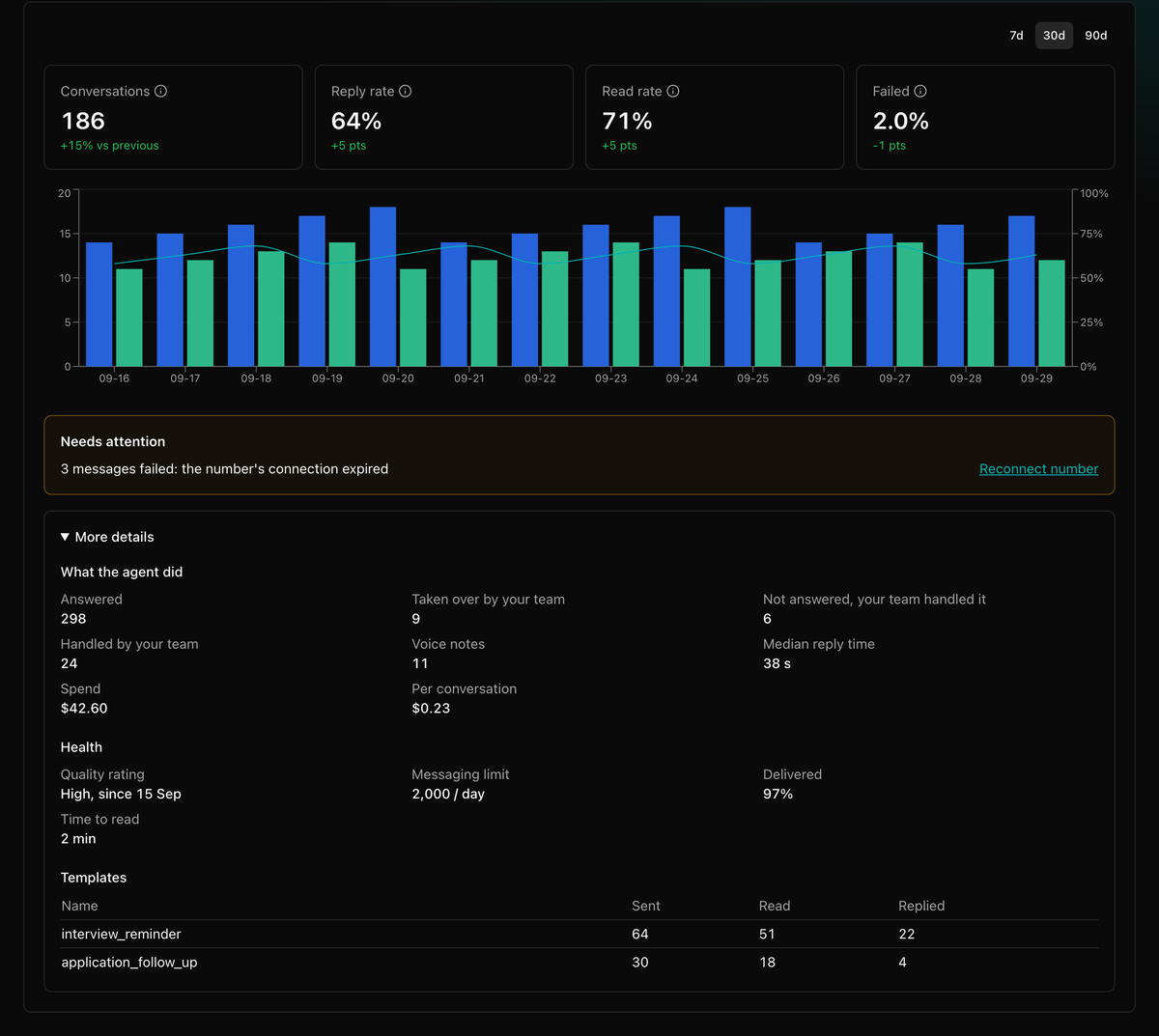
The headline figures
| Figure | What it counts |
|---|---|
| Conversations | People who messaged or were messaged. |
| Reply rate | Share of conversations where the customer wrote back. |
| Read rate | Share of sent messages the customer opened. |
| Failed | Share of sent messages that didn't go through. |
Needs attention
Shows only when something is wrong:
| Line | What it means | What to do |
|---|---|---|
| Failed: the number's connection expired | The Meta access token expired or was removed. | Click Reconnect number. See Reconnect a number. |
| Failed: the WhatsApp connection is down | The number could not reach WhatsApp. | Click Reconnect number. |
| Failed: sent after the 24-hour reply window | A free-form message went to a customer who had not written in 24 hours. | Click Send a template instead. See the 24-hour window. |
| Held back: sending too fast for Meta's limits | Messages went out faster than WhatsApp allows. | Send more slowly, then try again. |
| Couldn't reach the customer's WhatsApp | The number is not on WhatsApp, or the app is too old. | Check the number with the customer. |
| Rejected by the provider | WhatsApp refused the message. | Open the failed message in the inbox and click Details for the exact reason. |
| Quality rated low | Customers may be blocking or reporting your messages. | Send fewer, more relevant messages until the rating recovers. |
More details
- What the agent did: messages answered, chats taken over by your team, voice notes, and median reply time. People with billing access also see spend.
- Health: quality rating and messaging limit, delivered, and time to read.
- Templates: sent, read and replied per template.
Broadcasts
Send an approved WhatsApp template to a list of contacts, review the cost before launch, and let the agent answer the replies.
Messages from calls
Let your voice agent send an approved WhatsApp template while it is on a call, with placeholders filled from the conversation, or send one automatically after the call ends.