

View and manage memory
See who your agents remember and exactly what they are told, review every change, and forget a caller.
Open Caller Memory from the sidebar. You need View access to Caller Memory (Beta) to see it, and Edit access to forget callers or change pools. Your organization's admin sets this in Team management.
Find a caller
The Callers tab lists everyone your agents remember: their phone number or email, when they were first seen, when their memory was last updated, and which pools remember them. Search by number or email.
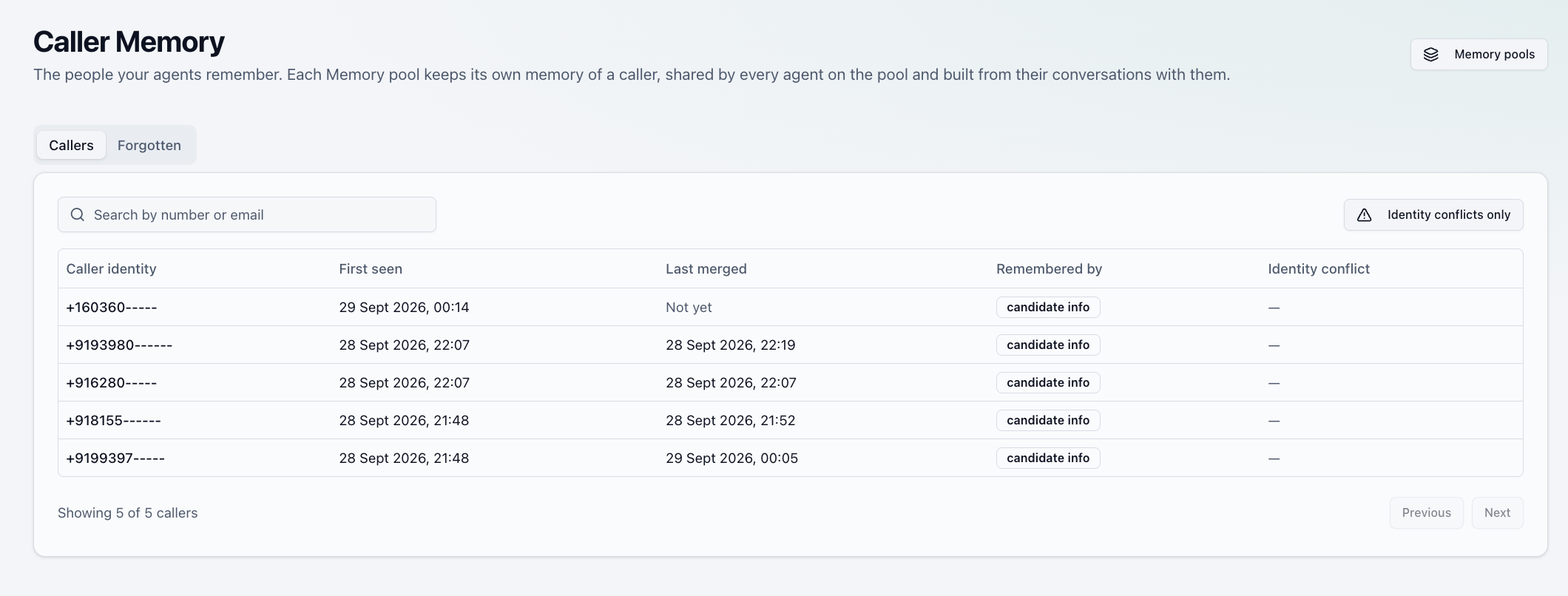
Open a caller to see which pools remember them, then open a pool's memory to see what it holds.
Read a memory
A memory page has three parts:
- What this pool's agents are told. What any agent on the pool will know about this caller at the start of the next conversation.
- Memory slots. The summary, facts, open items, entities, do-not rules, and recent interactions. See What agents remember.
- Version chain. Every version the memory has had.
Memories can't be edited by hand. They are only written by conversations, so what you see is always what your callers said.
Review changes
Each version in the Version chain shows when it was written and which agent's conversation caused it. Open one to see what that update dropped and what it refused to store, with the reason.

A version that came from WhatsApp is labeled WhatsApp · N messages. A call that also took in recent WhatsApp messages is labeled Call · absorbed N WhatsApp messages.
Forget a caller
Forgetting deletes a memory and all its versions for good. It can't be undone.
- Forget what one pool knows. On a memory page, select Forget what this pool knows. Other pools keep their memories of the caller.
- Forget a person everywhere. On the caller's page, forget them in every pool at once. Use this when someone asks to be forgotten.
- Forget everyone in a pool. On the Memory pools page, select the eraser icon next to the pool.
You can add a note, such as "erasure requested by the caller". After a forget, earlier conversations with that person are never added back, even if they get in touch again.
The deletion log
The Forgotten tab records every forget: who was forgotten, what was removed, how many versions were deleted, who asked, and when. The record is kept after the memory is gone, so you can show that a request to be forgotten was carried out. It contains no memory content.
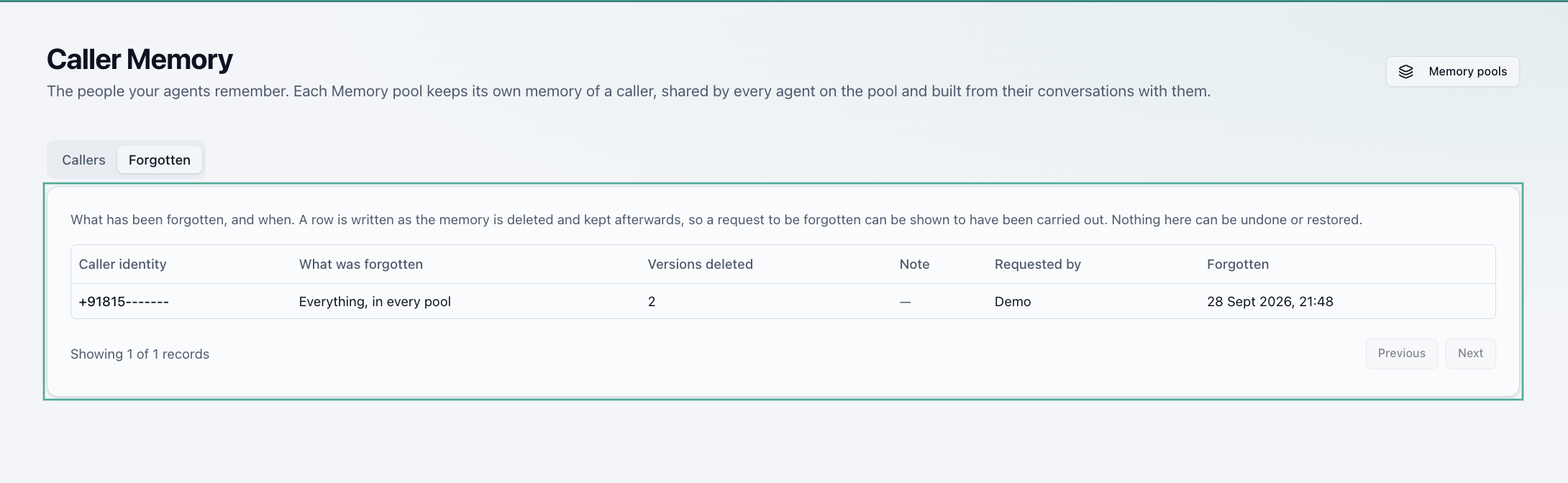
Identity conflicts
If a phone number and an email that arrive together belong to two different callers, the caller is marked with an identity conflict. Nothing is merged automatically. Use Identity conflicts only on the Callers tab to find them.